
AgentMeter
A desk display for live usage windows.
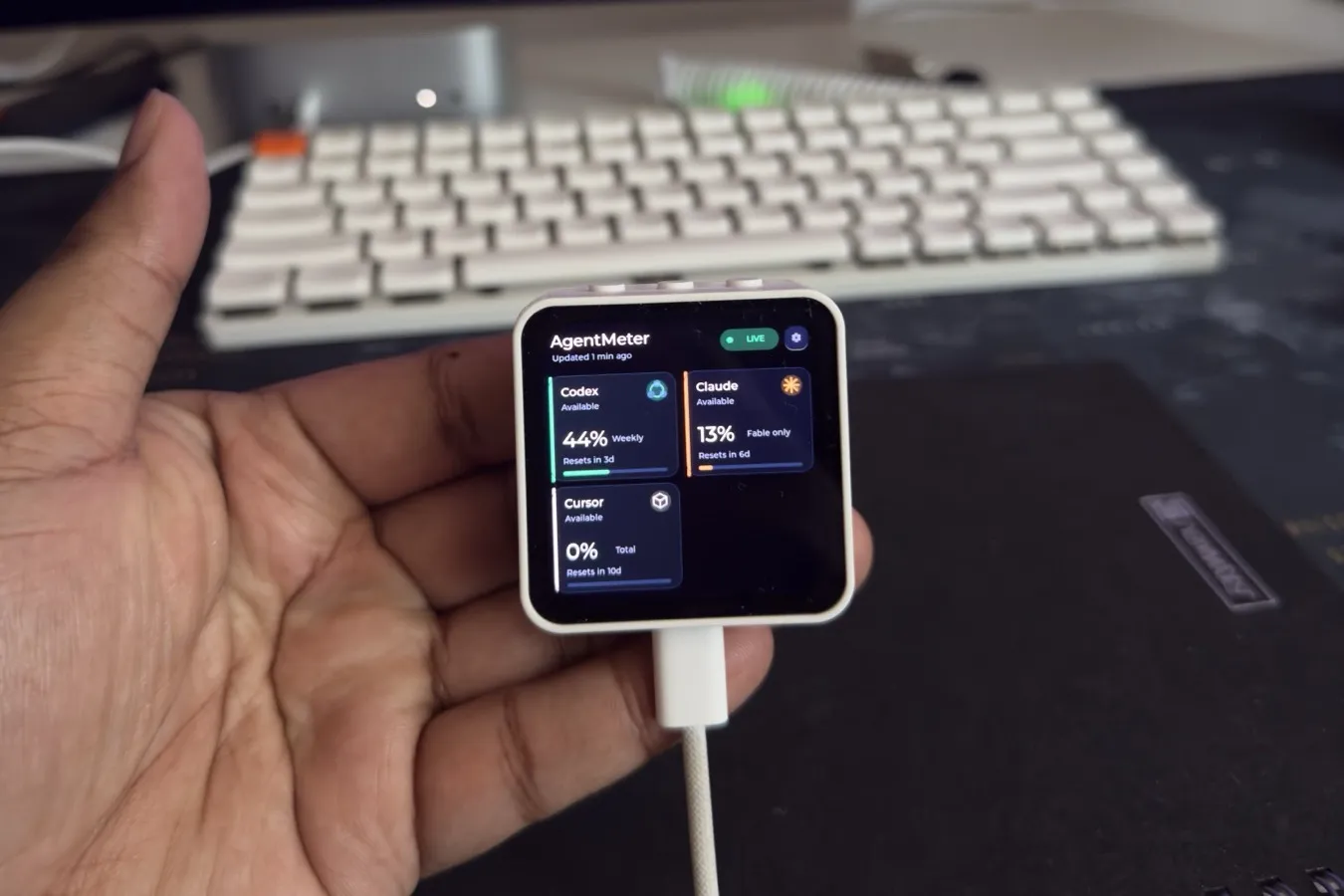
A small ESP32 display that sits on my desk and shows how much of each coding-assistant quota I have left, and when it resets.
- 480×480 AMOLED touchscreen
- Encrypted Bluetooth, USB fallback
- Reset countdowns & alerts
- Native macOS companion
Sent to the device
≤ 4 KB
per update, over Bluetooth
Computer to desk
- macOS app reads usage locally
- Encrypted BLE carries a summary
- The display shows what is left
Credentials never leave the computer
- 480×480
- AMOLED touchscreen
- 8
- Providers on one dashboard
- 4 KB
- Maximum payload sent to the device
- BLE
- Encrypted, with USB fallback
The itch
I kept discovering I had run out of a usage window at the worst possible moment, halfway through something. The information existed, but it lived in menus I had to go looking for. I wanted it the way a clock gives you the time: glanceable, always there, not something you open.
What it is
AgentMeter is a 480×480 AMOLED touchscreen driven by an ESP32-S3, paired with a small bridge on the Mac. The display shows up to eight providers at once: session and weekly windows, a progress ring for each, and a live countdown to the next reset that the device keeps ticking on its own between updates. Tap a provider for detail. There is a physical button for when touch is inconvenient.
The design rule: credentials stay on the computer
This was the decision everything else follows from. The display is a dumb, trustworthy terminal.
The Mac bridge collects the numbers, strips identity and billing fields, and sends a document capped at 4,096 bytes over encrypted Bluetooth LE, with USB serial as a fallback. The firmware acknowledges a message only after validating it. No account, token, prompt or file path ever reaches the device, so losing it costs you a gadget and nothing else.
Details that made it feel finished
- Honest states. Waiting, live, reconnecting, stale and error each look different. Old data is shown as old, and an unknown value reads “Not reported” rather than pretending to be zero.
- Kind to the panel. Brightness, dimming, screen-off and AMOLED pixel shifting are all configurable.
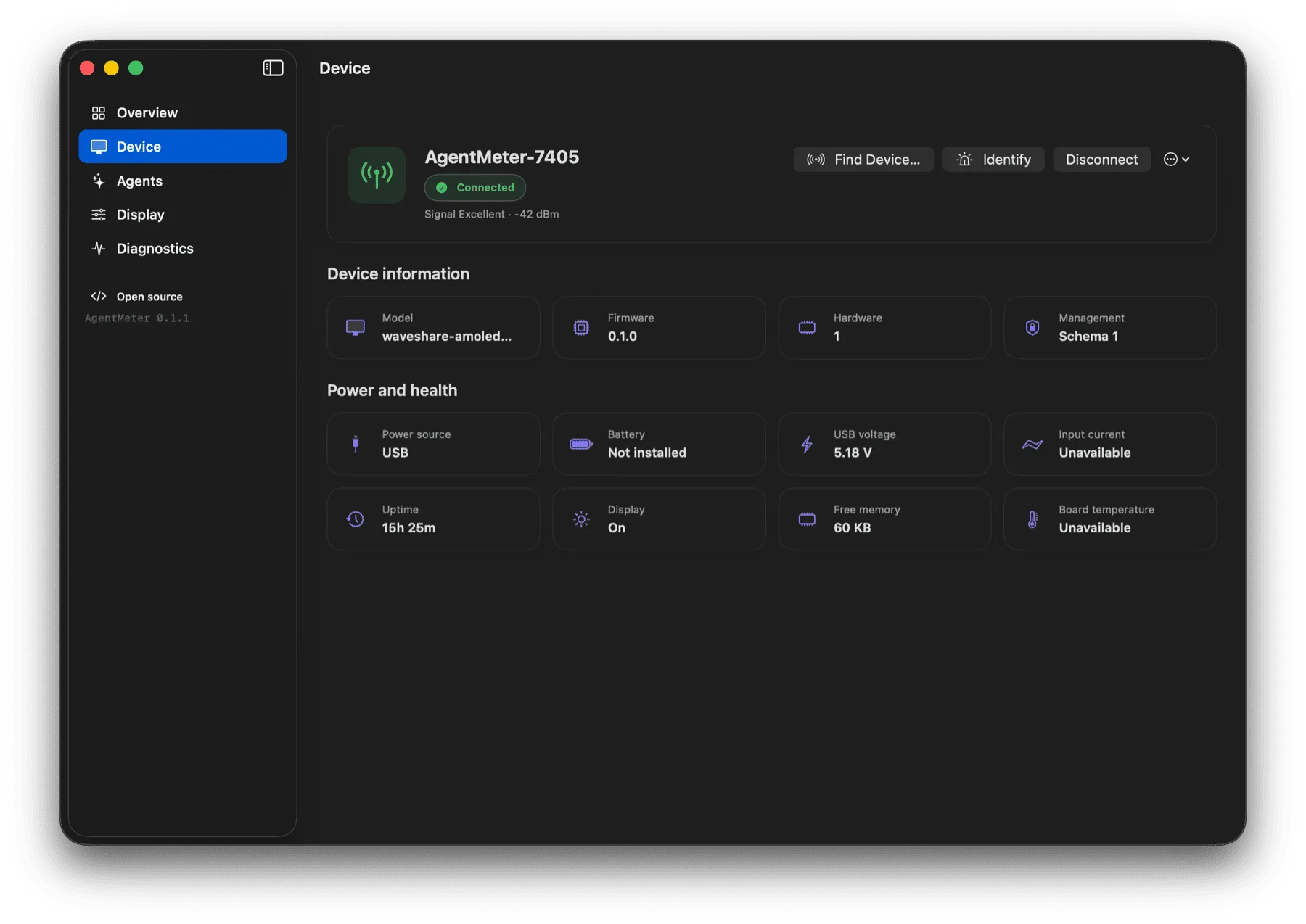
- A native companion. A menu-bar app handles connection, settings and live telemetry, in light and dark themes, plus desktop widgets that draw from the same local snapshot.
- Standalone mode. The desktop app keeps working with device sync switched off entirely.
Where it stands
The first hardware version works end to end: Bluetooth delivery, acknowledgement, reconnection, USB fallback, alerts and launch-at-login are all in. Mochi, my animation SDK, targets the same class of small AMOLED screen.
In pictures
A closer look
Screens